

Getting Started
Creating store settings
Find store settings in the dashboard and learn what each tab contains
Store settings define your store's basic information, contact details, search engine optimization, and other key choices. This article shows where to find the settings and what each tab contains.
Navigating to store settings
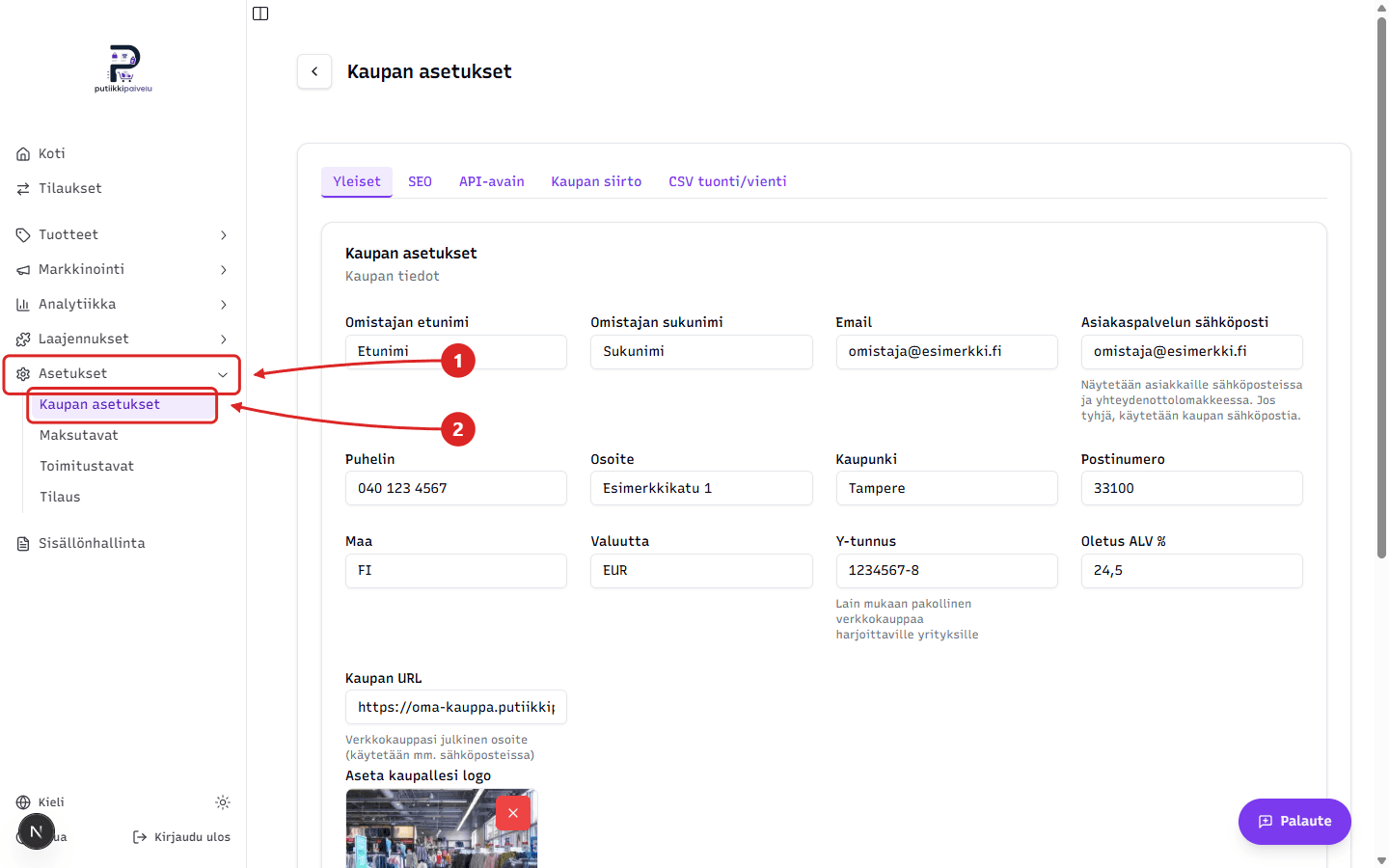
Store settings are in the dashboard sidebar. Open Settings → Store settings.
Filling in the General tab
Fill in the General tab with your company's actual details — owner name, email addresses, phone, address, business ID, VAT rate, and store URL. When done, click Update settings at the bottom of the page.
Settings tabs
Store settings are split into tabs, each covered in its own article:
- General — company basics, contact details, currency, VAT, and store URL
- SEO — search engine optimization settings
- API key — store API key management
- Store transfer — exporting and importing store data
- CSV import/export — bulk transfer of products and other data via CSV files