

Creating your first shipping method
Create your own shipping method that appears for customers at checkout
A shipping method is the option shown at checkout for how the order will be delivered. In this article you create your own flat-rate shipping method — for example, postal delivery or in-store pickup.
Navigating to shipping methods
In the dashboard sidebar, open Settings → Shipping methods and click Add shipping method.
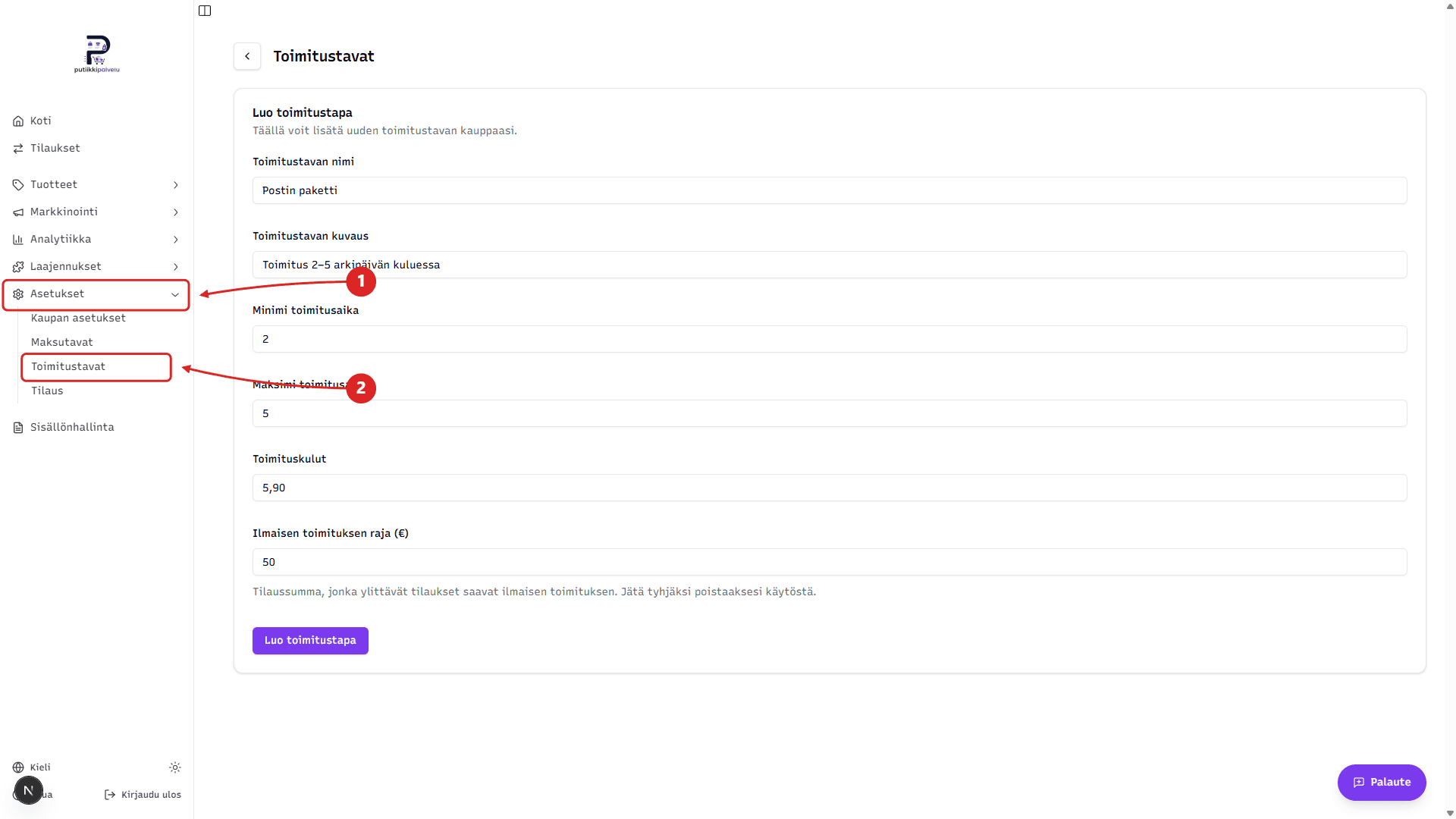
Shipping method details
- Shipping method name — name shown at checkout, e.g. Postal package or In-store pickup
- Shipping method description — short additional info shown to the customer below the name
- Minimum delivery time — estimated fastest delivery in days
- Maximum delivery time — estimated longest delivery in days
- Shipping cost — flat shipping price in euros
- Free shipping threshold (€) — order total above which shipping is free. Leave empty to disable.
Finally, click Create shipping method.
How does the shipping method work?
The shipping method you create is a manual, flat-rate shipping option — it has no built-in integration with postal services or other carriers. The customer sees only the name, description, delivery estimate, and price you defined.
You arrange the actual delivery yourself — for example by dropping off the package at the post office, using your own courier, or organizing in-store pickup.
Parcel lockers and service points
If you want to show parcel lockers, R-kiosks, Posti service points, and other pickup points at checkout, you need a separate Shipit integration. With Shipit, the customer picks the nearest pickup point directly at checkout. The Shipit integration is covered in its own article.