

Text & content blocks
Text-focused blocks — Text content, Accordion (FAQ), and Text grid
This group contains blocks for presenting text content — long paragraphs, Q&A lists, and text arranged in columns. All blocks support rich text formatting: headings, bold, lists, and links.
Where to find these blocks
In the dashboard go to Content Management → [page] → Edit → Add block. In the picker dialog, the "Text & content" group.
Text content
Free-form rich text — headings, paragraphs, lists, links, and quotes. Use this for long-form text (about us, return policy) or paragraph-style information.
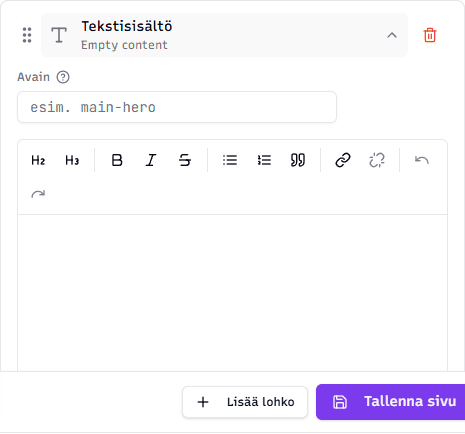
Fields:
- Text content — one large field where you format text using the toolbar:
- H2 / H3 — heading levels
- B / I / S — bold, italic, strikethrough
- List buttons — bulleted and numbered lists
- Quote insert
- Link and remove link
- Undo and redo
Tip: Use one H2 heading at the start of the block and H3 headings as subheadings. This builds a logical text hierarchy that also helps with search engine optimization (SEO).
Accordion (FAQ)
Expandable Q&A items — visitors can open the ones that interest them. Excellent for frequently asked questions (FAQ), return policies, and other long lists where the visitor is usually looking for one specific thing.
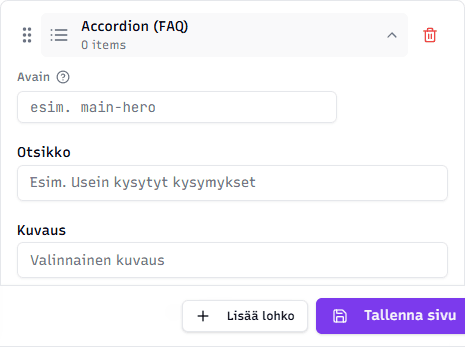
Fields:
- Title (optional) — the heading above the whole block, e.g. "Frequently asked questions"
- Description (optional) — short text under the title
- Question/answer items — add items via the Add question button. Each item has:
- Question (required) — short, e.g. "Can I bring my dog to the park?"
- Answer (required) — longer, formatted text (links, bold, etc.)
Tip: Keep questions short and answers concrete. Visitors can open just the items relevant to them.
Text grid
Text in a grid with 2–6 columns. Suitable for service lists, benefit lists, or comparison-style content presented as short text without images.
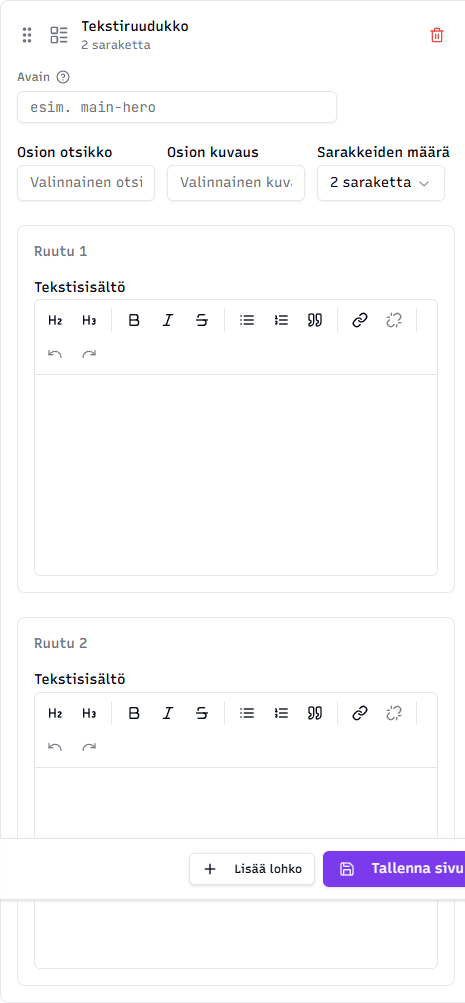
Fields:
- Section title (optional)
- Section description (optional)
- Number of columns — 2, 3, 4, 5, or 6 (controls how many cells fit side by side)
- Cells — one cell per column. Each cell contains rich text (same editor as Text content)
Tip: Not sure how many columns? Two suits longer text, three is the most common (services, benefits), four and above is for short keywords or icons.
Mobile
Columns automatically stack on small screens — you don't need to worry about whether the block looks good on a phone.
Related topics
- Editing content — practical workflow
- Images & media blocks — image blocks
- Sections & layouts blocks — page structural sections